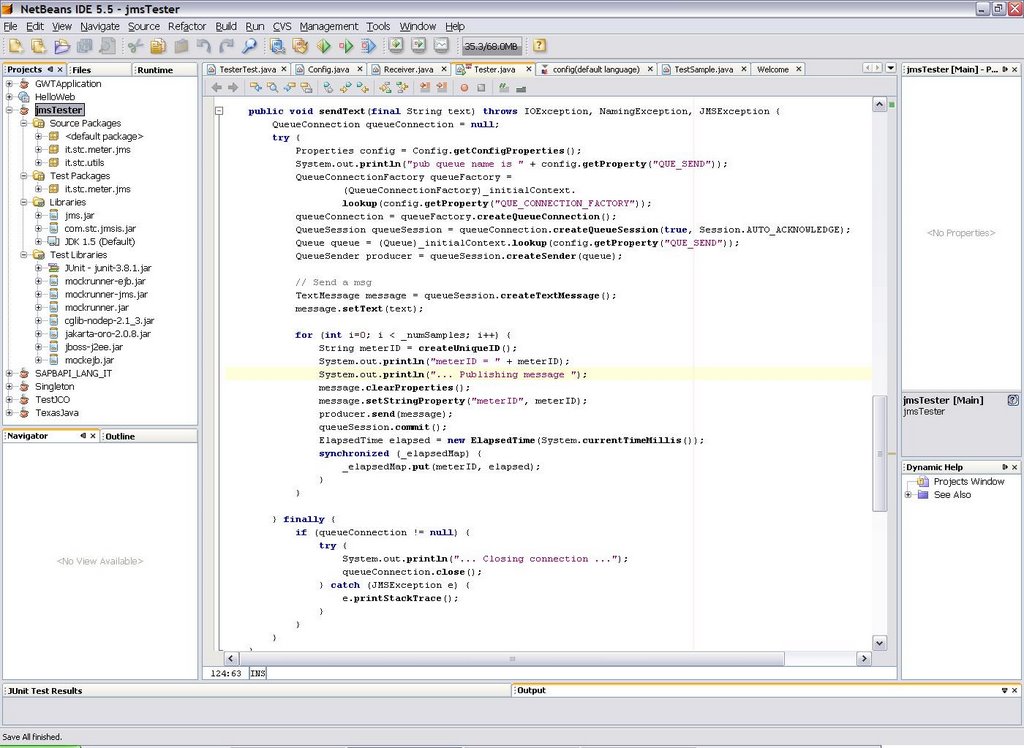
Scenario
You are developing a
JMS-based application and you want to use those nice test-driven development habits that you have learned are so good in keeping your code clean and bug-free, but sending messages to a real JMS server is slowing down your edit - compile - test process. First because you always need to remember to start your JMS server each morning, second because running
JUnit against the real system is a bit slow. Maybe you have an external server hosting your JMS server, so the first point does not apply to you, but in my case I use to run everything on my laptop, so it does matter.
A mock JMS implementation
Here is where
Mockrunner comes in the scene.
"Mockrunner is a lightweight framework for unit testing applications in the J2EE environment. It supports servlets, filters, tag classes and Struts actions and forms. Furthermore it includes a JDBC, a JMS and a JCA test framework and can be used in conjunction with MockEJB to test EJB based applications.
Mockrunner extends JUnit and simulates the necessary behaviour without calling the real infrastructure. It does not need a running application server or a database. Furthermore it does not call the webcontainer or the Struts ActionServlet. It is very fast and enables the user to manipulate all involved classes and mock objects in all steps of the test. It can be used to write very sophisticated unit-tests for J2EE based applications without any overhead. Mockrunner does not support any type of in-container testing."
Actors
Setup
Download the mockrunner-0.3.7.zip file and unzip it somewhere. Then you need to setup your Netbeans project to make use of Mockrunner's libraries.

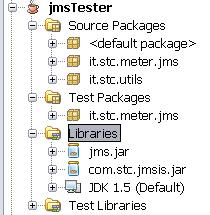
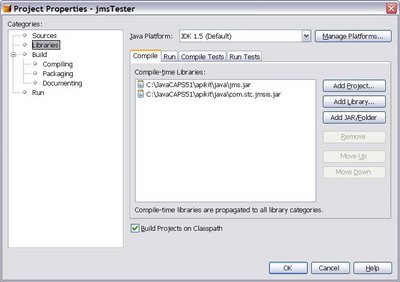
Add Mockrunner libs to your project's test library by right-clicking the libraries node in your project and selecting "Properties"

In my case I'm connecting to CAPS JMS server, so I need both
jms.jar and
com.stc.jmsis.jar files. The latter is part of the CAPS eGate APIkit distribution and allows to connect to Sun SeeBeyond JMS server implementation from a generic Java client: you need to put here your specific JMS server client libraries. My intention is to run my custom Java application against the real JMS server (as said, in my case it is CAPS), but to run automatic JUnit tests against the mock implementation.
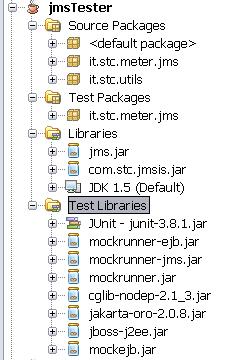
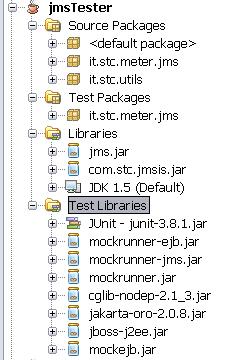
Now add Mockrunner's necessary libraries to the "Compile-time Test Libraries" tab:

The final result should looks like the picture below:
A simple test-case
Here I show a simple test for the "sendText" method of my class which uses Mockrunner's stubs. Mockrunner internally uses
MockEJB libraries to simulate a J2EE container:
/*
 * TesterTest.java
 * JUnit based test
 *
 * Created on 28 November 2006, 17:33
 */
package it.stc.meter.jms;

import com.mockrunner.ejb.EJBTestModule;
import com.mockrunner.jms.JMSTestCaseAdapter;
import com.mockrunner.mock.jms.MockQueue;
import it.stc.utils.Config;
import java.io.IOException;
import java.util.List;
import javax.jms.JMSException;
import javax.jms.TextMessage;
import javax.naming.InitialContext;
import javax.naming.NamingException;

public class TesterTest extends JMSTestCaseAdapter {

    private EJBTestModule _ejbModule;
    private MockQueue _queIN;
    private MockQueue _queOUT;
    private InitialContext _initialContext;

    public TesterTest(String testName) {
        super(testName);
    }

    protected void setUp() throws Exception {
        super.setUp();
        _ejbModule = createEJBTestModule();
        _ejbModule.bindToContext("connectionfactories/queueconnectionfactory",
                getJMSMockObjectFactory().getMockQueueConnectionFactory());
        _queIN = getDestinationManager().createQueue("quIN");
        _queOUT = getDestinationManager().createQueue("quOUT");
        _ejbModule.bindToContext("queues/quIN", _queIN);
        _ejbModule.bindToContext("queues/quOUT", _queOUT);
        _initialContext = new InitialContext();
    }

    protected void tearDown() throws Exception {
    }

    public void testSendText() throws IOException, NamingException,
            JMSException {
        final String text = "prova";
        final int numSamples = 3;
        Tester m = new Tester(_initialContext, numSamples);
        m.sendText(text);
        verifyNumberOfReceivedQueueMessages("quIN", 3);
        List receivedMessages = getReceivedMessageListFromQueue("quIN");
        for (Object message : receivedMessages) {
            assertEquals(text, ((TextMessage) message).getText());
        }
        verifyNumberQueueSessions(1);
        verifyAllQueueSessionsClosed();
        verifyQueueConnectionClosed();
        verifyAllQueueSessionsCommitted();

    }
}
Conclusions
This article briefly shows how to setup Netbeans to make use of Mockrunner to test JMS clients without the need to connect to the real JMS server. In a future article I'll go deeper on the CAPS JMS server facts and I'll show how to apply this scenario to create automatic JUnit test cases for
EAI flows built in SeeBeyond ICAN 5.0 or Sun CAPS 5.1. Automatic testing of EAI solutions is usually sligthly more complex than testing normal applications.